Folder Structure
Image
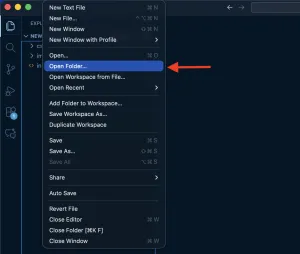
Let's start by creating a new folder on your desktop. Then, open Visual Studio Code and at the top left select "File", then "Open Folder", and then select your folder.
Image
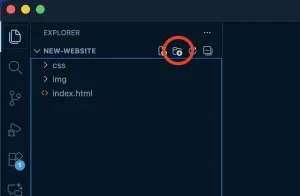
From there we can click the "New Folder" icon to create two folders, an "img" folder for images, and a "css" folder to hold CSS files.
Image
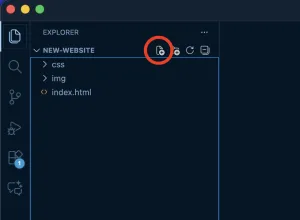
We can also create the home page. click the "New File" icon to create a new file called "index.html".
We have now created a simple folder structure for a simple website.